Vault Manager Process
Once a Customer submits an Order Change request, the Vault Manager reviews it and releases the requested cash from the vault.
Step 1: Open Cash Picking
Log in as Vault Manager and open Cash Picking.
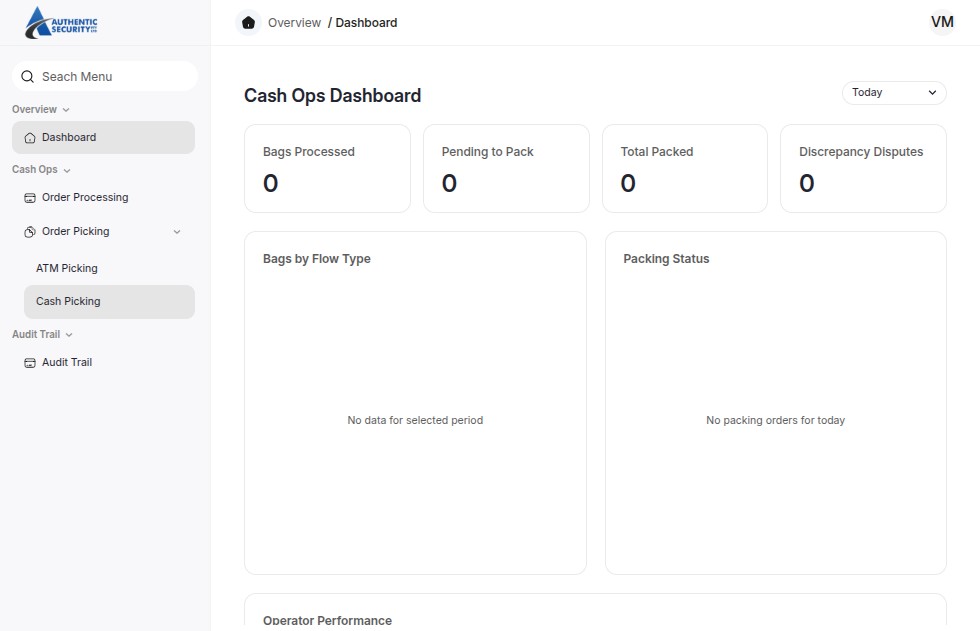
Step 2: Filter by Pickup Date
Filter the list by the scheduled pickup date to find the order.
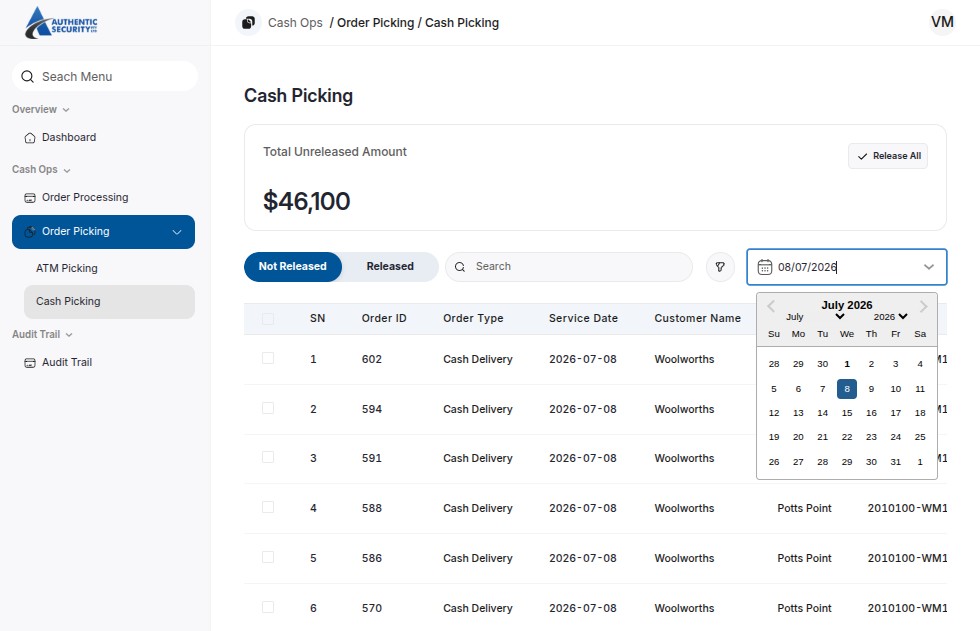
Step 3: Review the Order
Click the eye icon to review the order's details and cash denominations.
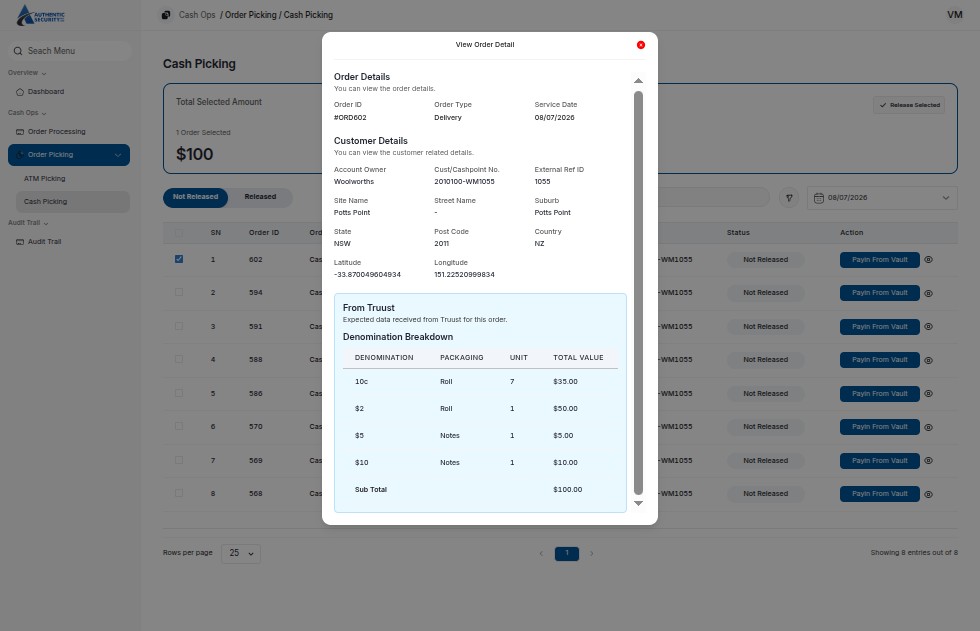
Step 4: Release the Cash
Release the cash from the vault. You can release a single order at a time, or several orders together.
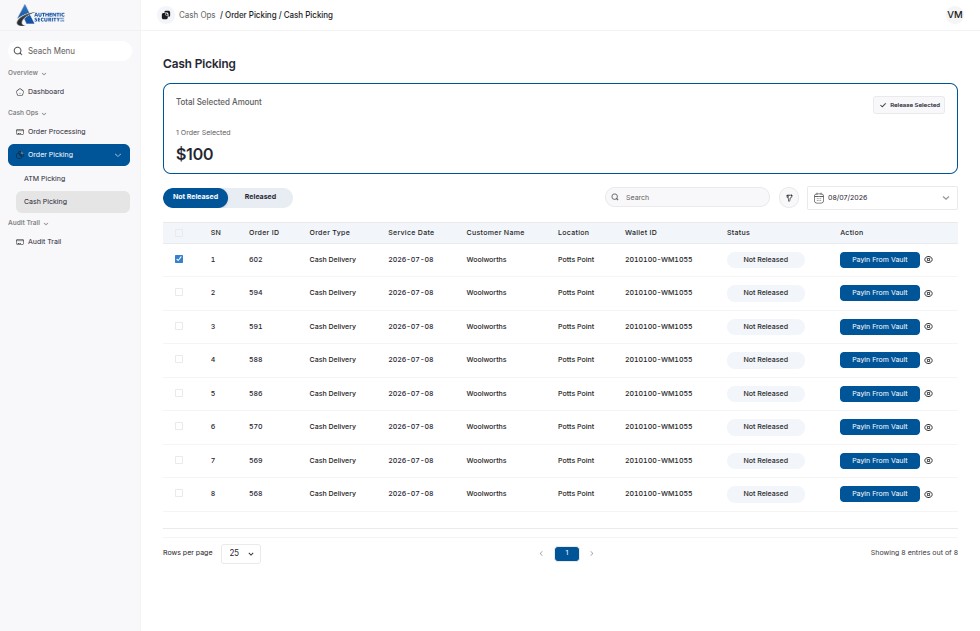
Step 5: Confirm the Amount
Confirm the amount being released.
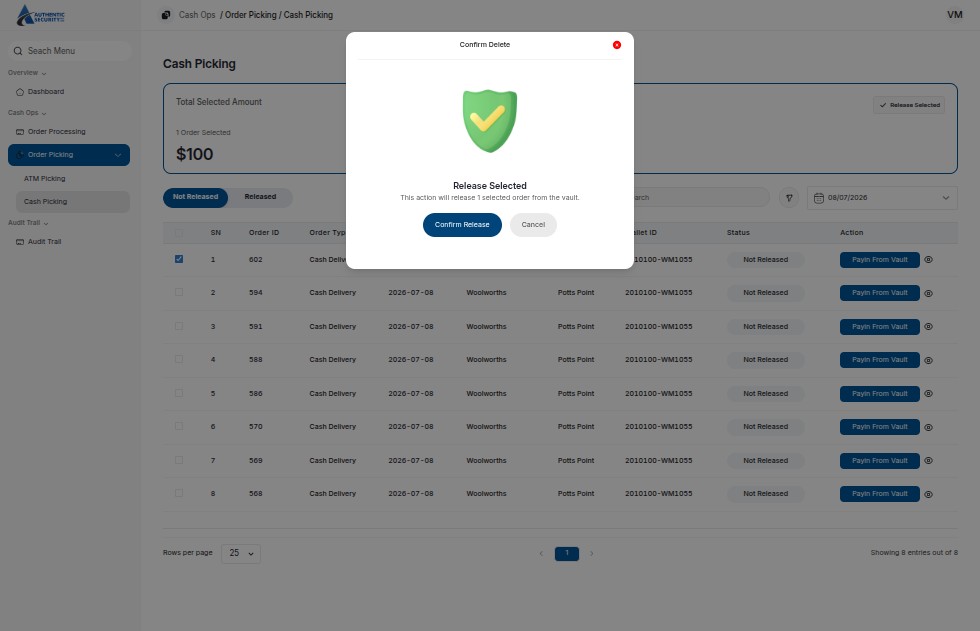
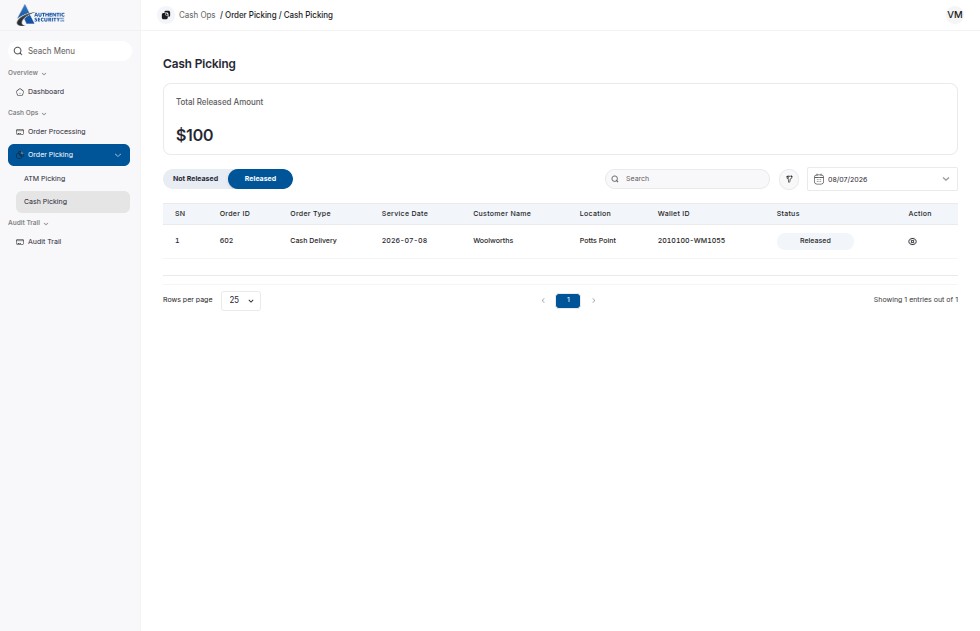
Step 6: Verify the Release
Check that the order now appears in the Released tab.
Summary
The Vault Manager step confirms that the requested cash has been physically released and is ready for the next stage of approval.
To continue the workflow, proceed to the Cash Supervisor Process section.